Build a Kingdom and Outlast Rival Kings
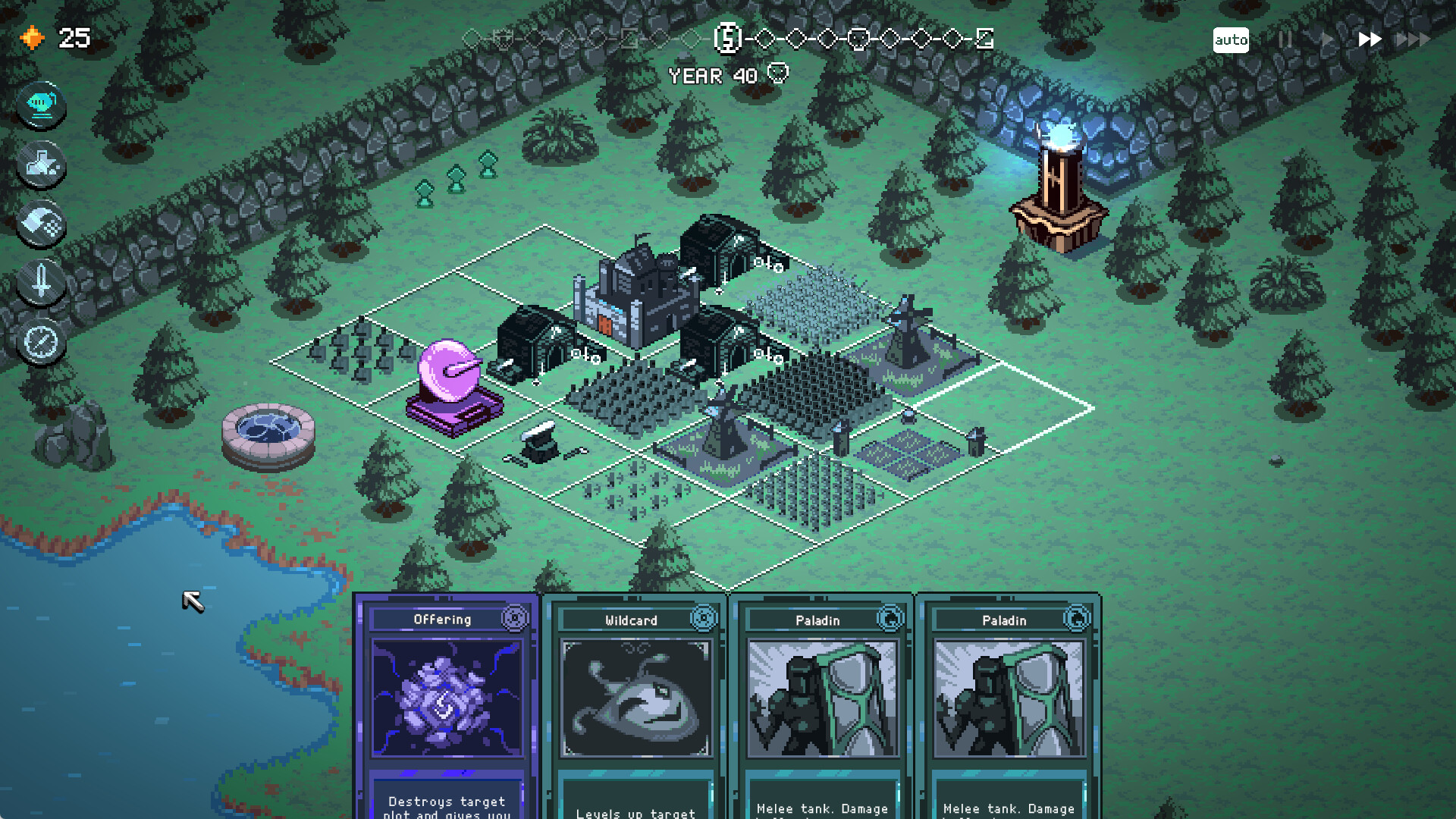
9 Kings is Sad Socket's roguelike kingdom builder, strategy deckbuilder and auto-battler: combine cards, develop your kingdom and survive a 33-year campaign against rival kings. Start with the Steam demo on PC or the mobile free trial on Android or iOS if you want to try it before purchasing the full game.
What You Are Building Toward
Your city and army grow together, with buildings, troops, spells and positioning shaping the kingdom you take into battle. Your capital recruits units and grows their power as you expand. The objective is to bring those pieces together into a kingdom that can outlast its rivals.
Each king begins with a different deck of buildings, troops and spells. Looting rival kings who attack your lands lets you acquire cards from their decks, opening combinations beyond your ruler's starting tools. Think of your chosen king as a starting direction, then learn how the cards you acquire can work together.
Choose Your Device Before You Start
The full release launched on November 12, 2026, as version 1.0. The Steam version supports Windows and macOS, while Playdigious publishes the mobile version for Android and iOS. Choose the device you expect to keep playing on before purchasing, particularly if continuing the same save across devices matters to you.
Start on PC Through Steam
- Open the Steam page for 9 Kings by Sad Socket to reach the correct game's demo and full-game purchase listing.
- Compare your computer with the system requirements on the Steam page before downloading, so you can assess the Windows or macOS version for your machine.
- Choose the separate Steam demo if you want to try the game before buying; this gives you a starting route without purchasing the full version.
- Choose the paid Steam version when you are ready for the full game, using the product listing as your desktop purchase route.
Other PC Stores and Mobile Trials
GOG and Epic Games Store also offer the released PC game. On mobile, the Playdigious apps offer a free trial and an in-app purchase to unlock the full game. Pick the destination for your preferred device below to continue to its product page.
| Option | Details |
|---|---|
| GOG for the Desktop Game | Open the GOG product page to purchase the released PC game through your preferred desktop store. |
| Epic Games Store on PC | Open the Epic Games Store product page to purchase the released PC version through that store. |
| Android Through Google Play | Open Google Play to install the mobile free trial, with a separate purchase available for the full unlock. |
| iOS Through the App Store | Open the Apple App Store to install the mobile free trial, then purchase the full unlock if you decide to continue. |
Plan Around Your Save on Mobile
A Steam save cannot be transferred to the mobile version, and progress cannot be transferred between Android and iOS. If you play on Android and want to continue that mobile save on a PC, you can use Google Play Games on PC. If save continuity is your priority, choose your starting route around the progress you want to keep.
Choose a Mode for Your Goal
Start with singleplayer if you want to learn how your kingdom develops before comparing it with other players' builds. Asynchronous ranked multiplayer gives you a competitive route, pitting your kingdom against rival kings to see whose survives longest. Approach that mode when testing your kingdom against other builds sounds more appealing than simply getting comfortable with your cards.
Quest Mode offers challenges that bend the usual mechanics as you face kings and collect their crowns. Joker Mode lets you customize your deck and game rules, and it unlocks after you unlock all kings. Endless Mode focuses on surviving continuing attacks, making it a direction to explore when you want to see how long your kingdom can hold out.
Begin With the King of Nothing
The King of Nothing is the only king available when you start for the first time, and its straightforward cards make it a natural place to learn. Work through the in-game tutorial and focus on understanding the cards in front of you. Give yourself room to experiment before trying to reproduce an elaborate strategy.
Other kings unlock through quests shown on their locked king cards, alongside your current progress. When you want a new ruler, use that displayed quest as your next objective. Each king's different starting deck gives you a fresh direction to explore once you are ready to move beyond your first kingdom.